Smart appliance buying checklist: offline controls and software support
Compare connected appliances and home technology by useful features, offline operation, update policy, account requirements and recurring service costs.
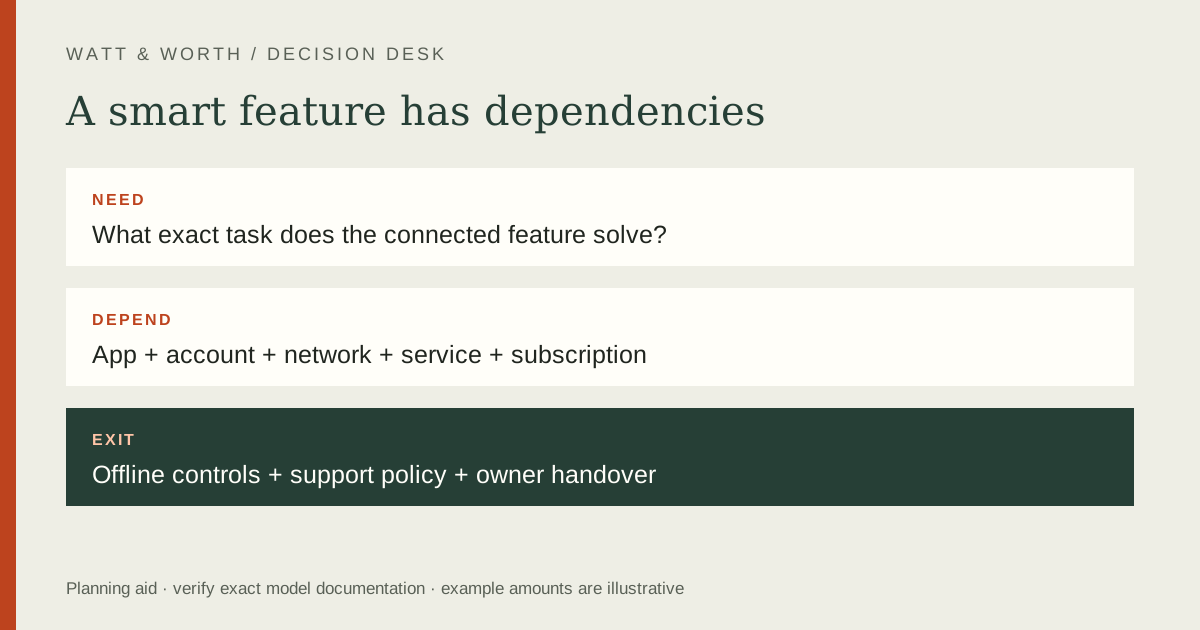
Buy a connected feature only after checking what it does, what it needs and what remains usable without the app or cloud service. Software support is part of the purchase decision alongside mechanical function. Ask for the exact model's update policy and account requirements rather than assuming that a long-lived appliance will receive connected features for the same period.
Name the feature you actually need
Write one sentence describing the benefit: a completion alert, a remote status check, scheduling or a particular accessibility function. Then ask whether the appliance performs the essential household task without that feature. This separates a useful convenience from a dependency you may not want.
Check whether remote control is limited by the product's operating instructions or safety conditions. Do not assume every action shown in an app can be used in every circumstance. Read the exact manual and current app documentation, including any setup or local confirmation required.
If several people share the appliance, verify account sharing and control access. A feature that works for only one phone may be inconvenient in a household. Consider what happens when that phone is replaced, the account owner moves out or the property is sold.
Build a dependency map
| Dependency | Question to answer | Evidence to retain |
|---|---|---|
| Phone or tablet | Which supported OS and app are required? | Current app requirements |
| Network | Which connection and setup conditions apply? | Manufacturer setup instructions |
| Account | Is registration mandatory for the needed task? | Terms and account process |
| Cloud service | What fails without internet or service access? | Offline-function explanation |
| Subscription | Which features cost extra? | Feature and price terms |
Do not infer compatibility from a wireless logo alone. Check the device and router documentation for the supported connection and setup process. If the appliance location has weak coverage, investigate that before buying additional equipment or assuming the product is faulty.
Keep basic operation and connected operation in separate columns. A product may still perform its primary mechanical task while losing notifications or remote controls. If the connected function is essential to you, that distinction belongs in the shortlist rather than as a surprise after installation.
Ask a precise support question
The FTC has highlighted how difficult it can be to find software-update information for smart products. Ask the manufacturer whether there is a published support end date, a minimum support commitment or another policy for the exact model. An unanswered question should remain an uncertainty, not become an assumed lifetime promise.
Check whether a policy runs from launch, sale or another date. A model sold late in its lifecycle may not have the same remaining support as a newly introduced product. Save the policy you rely on and note the model and date in your purchase folder.
Do not confuse an app's current availability with a commitment to future support. Similarly, a warranty period does not automatically define a software-update period. Read each policy for the specific obligation it describes rather than transferring a favorable term from one document to another.
Add recurring costs and exit costs
Identify subscriptions, premium features, accessories and replacement hubs required for the feature you want. If the basic appliance works without a subscription, compare both the basic and enhanced scenarios. Avoid treating a free trial as permanent included service.
Illustrative example: a connected option costs $120 extra and the chosen service is assumed to cost $4 per month. Over five years at an unchanged rate, the extra planned cost is $120 + ($4 × 12 × 5) = $360. This is not a current service price or a prediction of future rates.
Also consider the process for leaving the service. Can you remove the device from the account, reset it and pass it to another owner? Check the manufacturer instructions for resale and disposal. Keep access to receipts and serial identity while avoiding sharing passwords or account recovery information with a buyer.
Check privacy and practical controls
Read what data the feature uses and which permissions it requests. Decide whether those permissions fit the function you need. This guide does not certify a product's security or summarize every privacy policy; the exact service terms and device settings need review.
Use the manufacturer's supported update and account-security options. Do not disable required protections to make an unsupported setup work. If the product cannot meet your legitimate use without such a workaround, it may not belong on the shortlist.
Test the ordinary controls when possible. A readable display, tactile buttons and a useful manual can matter more than an elaborate app. Evaluate what the appliance will be like during a network outage and whether every regular user can still perform essential tasks.
A final practical check
If the product will be used in a rental or shared property, agree who owns the account and who is responsible for updates. Document a legitimate handover process when occupancy changes. Avoid tying essential controls to an account that another household member cannot access appropriately. A clear ownership arrangement reduces practical friction even when the device itself works well. Revisit the dependency map if the household changes phones, internet providers or the person managing the appliance.
Frequently asked questions
Does a smart appliance need a subscription?
It depends on the exact product and feature. Verify the basic and premium functions separately, including what happens after any trial. Do not assume that “app enabled” means all services are included.
Can I assume software support lasts as long as the machine?
No. Ask for the actual policy and keep the answer with the purchase records. Mechanical life, warranty coverage and software support are different questions.
How does this fit into the purchase decision?
Return to the purchase plan, compare the full ownership cost and use the laptop requirements guide when choosing a device that runs the app.
Sources
- FTC smart-device software-update guidance — questions about update commitments and shopping information.
- FTC warranties — distinguish written coverage from other promises.